Loading...


Our REST API is a single point of integration that provides access to a vast worldwide payments ecosystem. It easily enables the processing of payments in person, on a website, or within an application (in-app). You can use it to manage transactions, disputes, and deposits across a multitude of currencies, payment methods, and regions.
This overview shows you how to use our interactive API Explorer, provides a link to Postman to view our API collection, and identifies some key API resources to get you started (for more information about our resources and their related actions, see Resources & Actions in API Definitions).
In the API Explorer, each resource has a separate page for its associated API actions of GET, POST, or PATCH. For example, for the Transactions resource, you can directly go to an API action such as [POST] Create by clicking it on the left menu.
Each API action page contains the complete list of parameters in the left column, grouped by Header, Request, Response, and so on. In the right column is the related endpoint at the top and an interactive code playground (black window) to call our API using JSON or cURL. The response window is right below it where you can see both success and failure model responses.
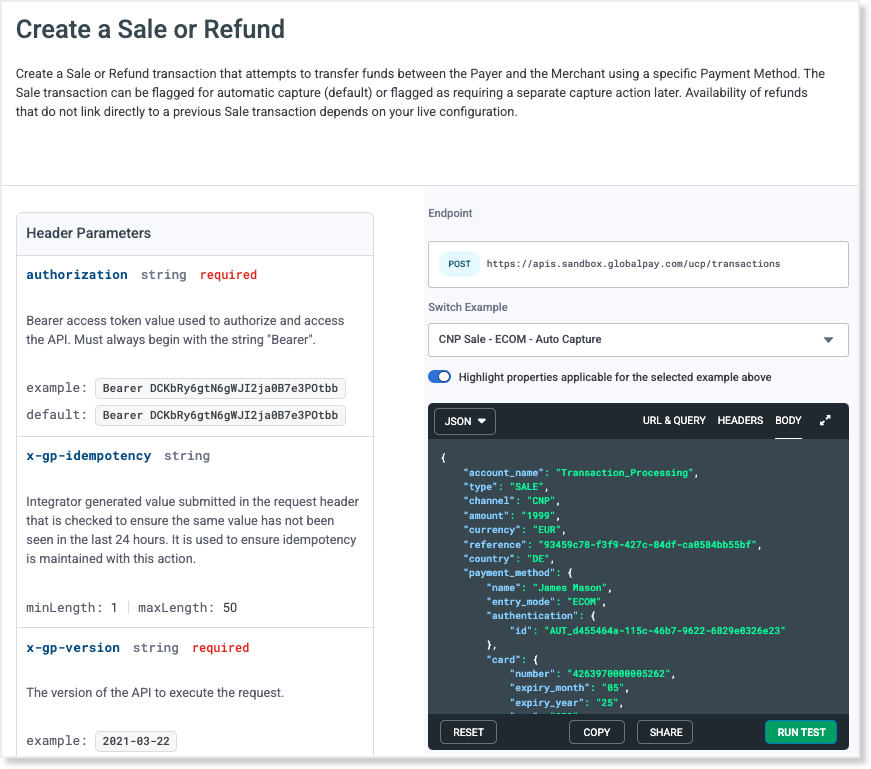
API Explorer Action Page - [POST Create]
In our code playground, we provide a model request sample to get you started, with separate tabs for the URL & Query (endpoint), Headers, and Body. You can use the Switch Example arrow to see other examples. Add your own values and run a test directly on the page. You can reset the code back to the model at any time. To better see the relevant parameters in the left column for the selected example, switch on the Highlight Properties feature.
After running a test, the Response appears in the window directly below, so you can instantly see how it worked. For better viewing of the request or response, use the expand icon to open it in a separate window (as shown below). When finished, click the collapse icon.
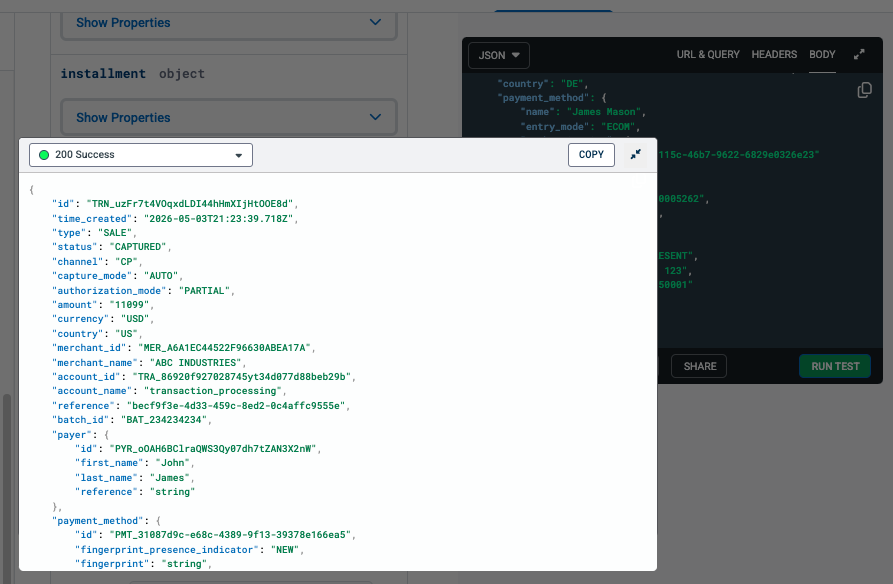
Response Model in a Separate Window
If you prefer to view our collection of API resources and methods in Postman, click the button below. You can also import or fork the collection.
Create an access token to execute an API action.
Transfer funds between payer and merchant, and get transaction records.
Request payer validation from the card issuer to support 3D Secure requirements.
Determine fraud risk for a transaction, payer, or payment method.
Use a token to securely store sensitive information for future sales and refunds.
Store customer details such as name, addresses, and payment methods to use for future transactions.
Verify a payment method to create a transaction at a later time.
Report on all aspects of your app's usage of our API.
Close card-present batches and review them.
Obtain details of each deposit to your bank account.
Manage dispute queries and chargebacks.
Get available reports for a merchant.