Introduction
Dynamic Currency Conversion (DCC) is a service offered by Global Payments that enables you to offer international cardholders the choice of paying either in the currency of their own card or the currency that you trade in. The customer is offered an exchange rate at the point of sale rather than at the point of settlement, which is what happens if DCC is not present.
To accept DCC transactions via the Hosted Payment Page (HPP), there is no extra integration work required on your side. However, when processing DCC transactions, you will receive extra fields in the response POST. Your application or website should be set up to handle these extra fields.
EEA currencies
New European Union requirements came into effect in April 2020 that included a mandate for currency conversions involving certain currencies for cardholders in the European Economic Area (EEA). For more information, see our Dynamic Currency Conversion article.
This functionality is currently not supported in North America or Canada.
DCC example
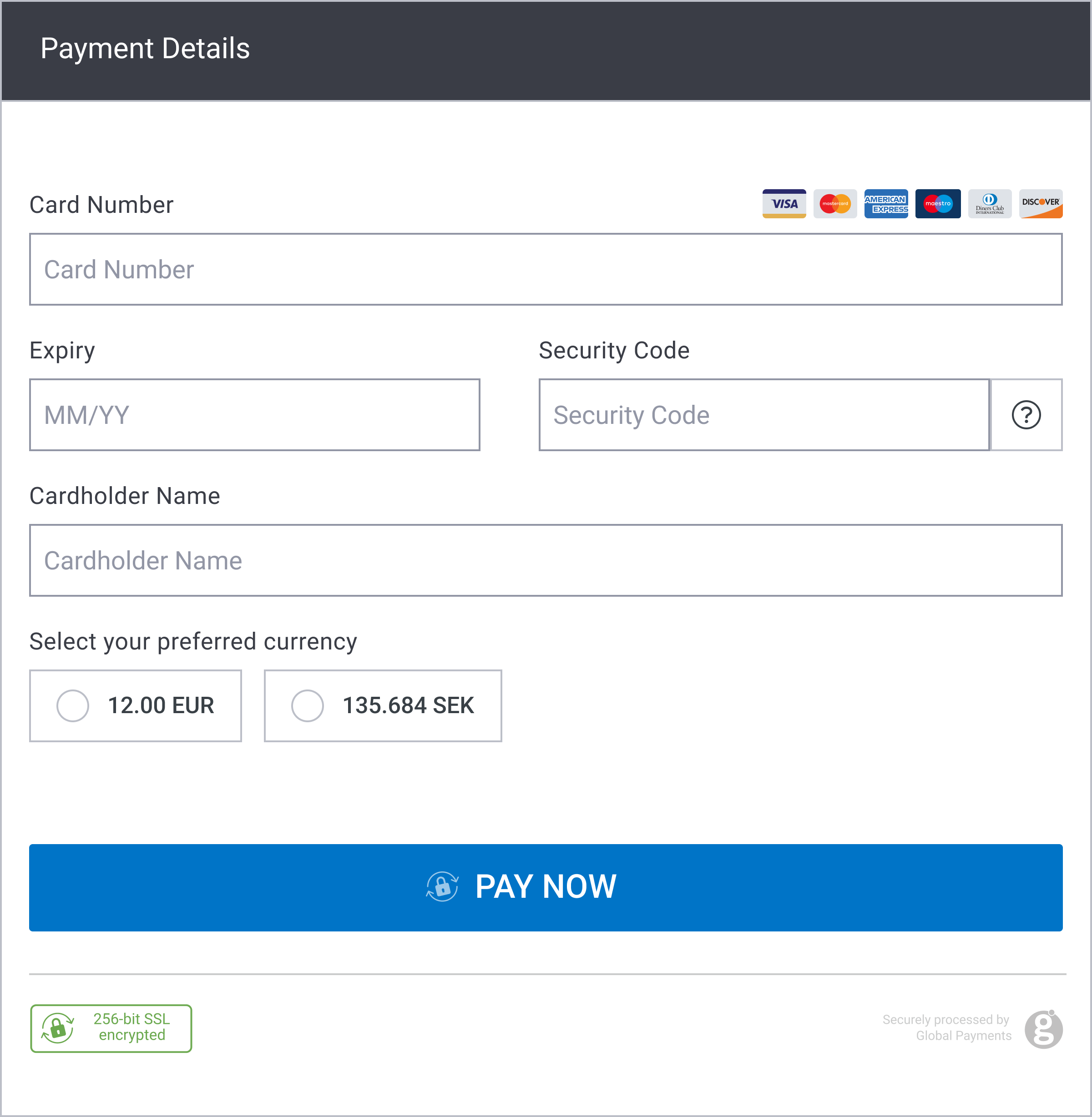
Sample request
<form action="https://pay.sandbox.realexpayments.com/pay" method="POST" target="iframe">
  <input type="hidden" name="TIMESTAMP" value="20180613110737">
  <input type="hidden" name="MERCHANT_ID" value="MerchantId">
  <input type="hidden" name="ACCOUNT" value="internet">
  <input type="hidden" name="ORDER_ID" value="N6qsk4kYRZihmPrTXWYS6g">
  <input type="hidden" name="AMOUNT" value="1999">
  <input type="hidden" name="CURRENCY" value="EUR">
  <input type="hidden" name="AUTO_SETTLE_FLAG" value="1">
  <input type="hidden" name="HPP_VERSION" value="2">
  <input type="hidden" name="MERCHANT_RESPONSE_URL" value="https://www.example.com/responseUrl">
  <!-- DCC Optional Field -->
  <input type="hidden" name="DCC_ENABLE" value="1">
  <!-- End DCC Optional Field -->
  <input type="hidden" name="SHA1HASH" value="308bb8dfbbfcc67c28d602d988ab104c3b08d012">
  <input type="submit" value="Click To Pay">
</form>Sample response
<!-- Additional Response Fields -->
[DCCCCP=Currency Conversion Processor,
 DCCRATE=1.6728,
 DCCMERCHANTAMOUNT=1001,
 DCCCARDHOLDERAMOUNT=1674,
 DCCMERCHANTCURRENCY=GBP,
 DCCCARDHOLDERCURRENCY=AUD,
 DCCMARGINRATEPERCENTAGE=3,
 DCCEXCHANGERATESOURCENAME=Reuters Wholesale Interbank,
 DCCCOMMISSIONPERCENTAGE=0,
 DCCEXCHANGERATESOURCETIMESTAMP=20180613173251,
DCCCHOICE=Yes]Generate hash
Follow the steps in this section to build the request security hash, concatenate the specified fields and hash them using the SHA-1 algorithm, concatenate the hashed string with your Shared Secret, hash it again, and add the resulted string to the request.
In addition to SHA-1, you can also generate your hash using SHA-256. The resulting hash should be placed in the <sha256hash> tag instead of the <sha1hash> tag. For more information, contact our support team at ecomsupport@globalpay.com.
Build the Request hash
Use the drop-down arrow below to select a request type: DCC Example. After making a selection, follow the steps on how to build the request hash for that type.
Check hash
Follow the steps in this section to build the response security hash, concatenate the specified fields and hash them using the SHA-1 algorithm, concatenate the hashed string with your Shared Secret, hash it again, and add the resulted string to the request.
Check the Response hash
Use the drop-down arrow below to select a request type: DCC Example. After making a selection, follow the steps on how to check the response hash for that type.