Loading...


For more information on the HPP, see our Overview.
This guide focuses on adding the Hosted Payment Page (HPP) to your application or website. First, we set up your server-side code using either direct integration or one of our SDKs (Java, PHP, or .NET). Then, we set up the client-side using one of our libraries (HTML/JavaScript, iOS, or Android). Lastly, we process the HPP response by setting up the endpoint.
Remember to first register for a developer account if you don't already have one. Once logged in, you can request Sandbox credentials from your account.
First, we set up the server-side code. If you're using one of our SDKs, we'll create our request object and convert it to JSON. Your application code can then pass the JSON string to the client-side library. If you're integrating directly, your application can build the HTTP POST itself.
Always keep your shared secret on the server-side to avoid exposing it to the public.
We provide several client-side libraries: HTML/JavaScript, Android, and iOS. After selecting the applicable tab, follow the steps to set up your client for that library.
On the server-side, set up your Response endpoint to take in the response JSON and create the HPP response object. This will contain all the transaction response values you need to update your application. If you're using full-page redirect, the response will be a standard HTTP POST.
The response from HPP will contain a hashed string (SHA1HASH field) made up of key transaction variables, including the Order ID, Result Code, and Timestamp. The SDK will construct and check the hash to ensure the response hasn't been tampered with. It will throw an exception if what it constructs doesn't match the SHA1HASH returned in the response.
The Timestamp returned in the response will be identical to the one sent in the request JSON. This, combined with the Order ID and other transaction variables, can be used to definitively link the response received with the transaction request and order created in your application. You should also check the other transaction variables — for example, the Amount — against what was stored in your application at the time the request JSON was sent.
A 111 result code indicates that the Issuer requires Strong Customer Authentication (SCA) for a transaction. To avoid this outcome, please ensure you enable 3D Secure 2 on the HPP.
Use our test cards to try out different scenarios for your application to handle. For the full list of test cards, see Test Cards.
Explore more functionality to enrich your application.
Download our JavaScript library from GitHub to integrate with our server-side SDK. The library interfaces with the server-side SDK of your choice and generates the payment form for your website or application.
There are three ways to render the payment form:
You may need to modify the below code samples to suit your needs.
<script src="https://code.jquery.com/jquery-3.5.0.js"></script>
<script src="rxp-hpp.js"></script>
<script>
  $(document).ready(function() {
    $.getJSON("sdkRequestEndpoint", function(jsonFromRequestEndpoint) {
      RealexHpp.setHppUrl("https://pay.sandbox.realexpayments.com/pay");
      RealexHpp.embedded.init("payButtonId", "iframeId", "responseEndpoint", jsonFromRequestEndpoint);
      if (window.addEventListener) {
        window.addEventListener('message', receiveMessage, false);
      } else {
        window.attachEvent('message', receiveMessage);
      }
    });
  });
</script>| Element/Field | Description |
|---|---|
| payButtonId | Identification of the button used to launch the HPP. |
| iframeId | Identification of the iFrame to load the HPP into. |
| responseEndpoint | URL to which the JSON response from the HPP will be posted. |
| jsonFromRequestEndpoint | JSON output from the HPP server-side SDK. Must be a JavaScript object, not a string. |
| RealexHpp.init() | Must only be called when the page DOM is fully loaded. |
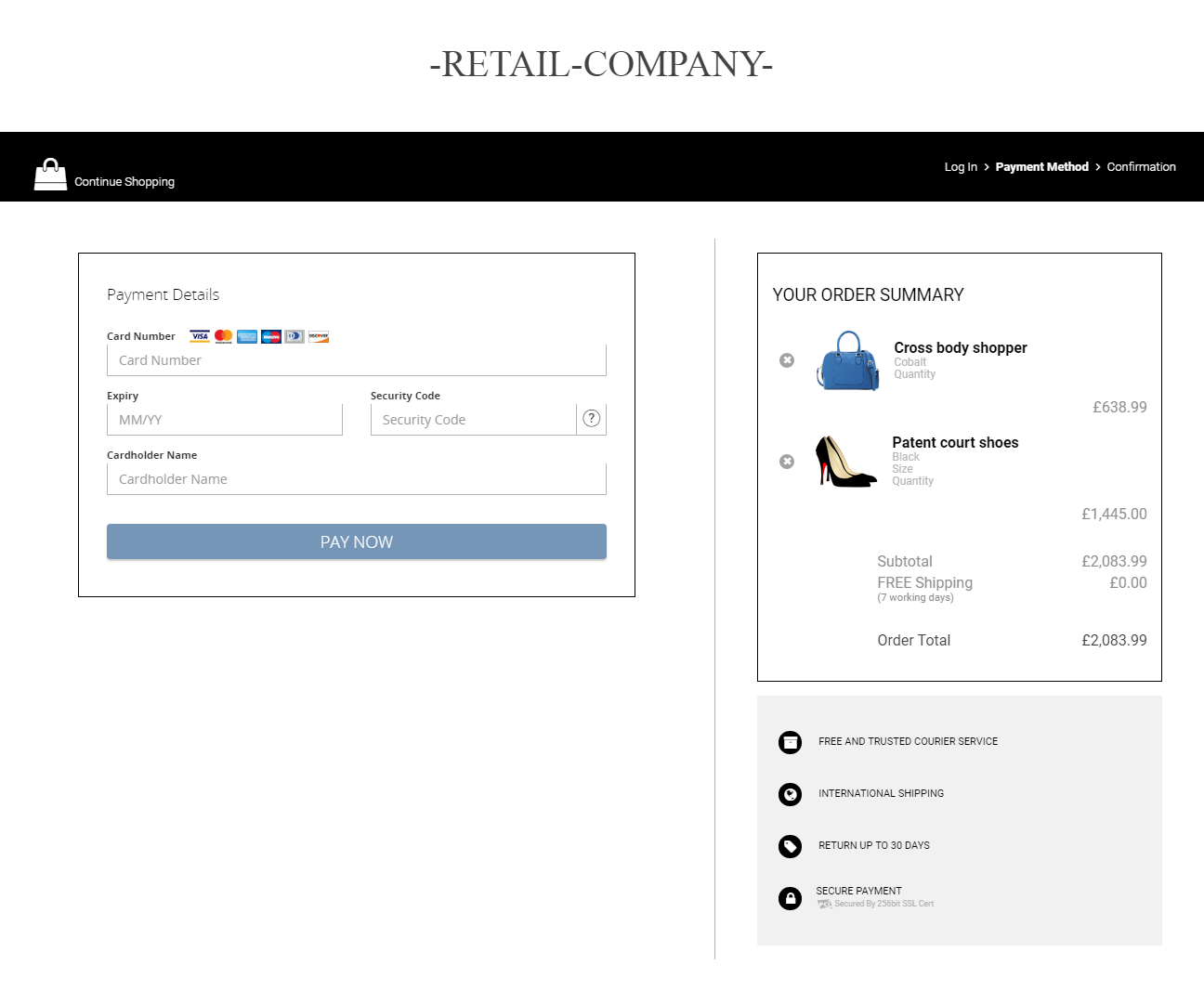
In Lightbox mode, the JavaScript Library creates the overlay, opens the iFrame, displays the HPP, and retrieves the response to send to the server-side SDK. In mobile browsers, the HPP opens in a new tab.
<script src="https://code.jquery.com/jquery-3.5.0.js"></script>
<script src="rxp-hpp.js"></script>
<script>
    $(document).ready(function() {
      $.getJSON("sdkRequestEndpoint", function(jsonFromRequestEndpoint) {
        RealexHpp.setHppUrl("https://pay.sandbox.realexpayments.com/pay");
        RealexHpp.lightbox.init("payButtonId", "responseEndpoint", jsonFromRequestEndpoint);
      });
    });
</script>| Element/Field | Description |
|---|---|
| payButtonId | Identification of the button used to launch the HPP in a Lightbox. |
| responseEndpoint | URL to which the JSON response from the HPP will be posted. |
| jsonFromRequestEndpoint | JSON output from the HPP server-side SDK. Must be a JavaScript object, not a string. |
| RealexHpp.init() | Must only be called when the page DOM is fully loaded. |
<script src="https://code.jquery.com/jquery-3.5.0.js"></script>
<script src="rxp-hpp.js"></script>
<script>
    $(document).ready(function() {
      $.getJSON("sdkRequestEndpoint", function(jsonFromRequestEndpoint) {
        RealexHpp.setHppUrl("https://pay.sandbox.realexpayments.com/pay");
        // When using full page redirect your Response URL must be an absolute link
        RealexHpp.redirect.init("payButtonId", "https://www.example.com/responseUrl", jsonFromRequestEndpoint);
      });
    });
</script>| Element/Field | Description |
|---|---|
| payButtonId | Identification of the button used to launch the HPP. |
| responseEndpoint | URL to which the response from the HPP will be posted. |
| jsonFromRequestEndpoint | JSON output from the HPP server-side SDK. Must be a JavaScript object, not a string. |
| RealexHpp.init() | Must only be called when the page DOM is fully loaded. |