Loading...


Partners can edit merchant data directly in an iFrame, providing a seamless, embedded experience for keeping information accurate and up to date. This guide walks you through generating a secure iFrame link and integrating it into your platform.
Before starting the steps in this guide, make sure you:
To edit merchant account data via an iFrame, you need to create a secure link by sending a POST request. This link redirects users to the merchant management interface. For example:
POST/accounts/{MMA_id}/merchants/{MER_id}/links
To allow merchants to make certain account-related updates, include the applicable page in the function field:
| Page | Description |
|---|---|
| UPDATE_PRIMARY_ACCOUNT | Used to update the primary bank account used for payouts. |
| UPDATE_PAYOUT_CARD | Used to update the payout card on file. |
| UPDATE_EMAIL | Used to update the primary email address associated with a merchant account. |
| UPDATE_BUSINESS_INFORMATION | Used to update the business information associated with a merchant account. |
| UPDATE_ADDRESS_PHONE | Used to update the phone and addresses associated with a merchant account. |
{
"account_id": "FMA_345e7b4fe3474b549e940ad2fc682377",
"type": "THIRD_PARTY_PAGE",
"function": "UPDATE_EMAIL",
"referrer_url": "https://www.w3schools.com/tags/tryit.asp?filename=tryhtml_iframe",
"ip_address":"76.146.17.160",
"ip_subnet_mask": "255.255.255.0"
}{
"id": "LNK_8L7sF77SeG6Et7SPstlJpJOHZ1kRYQ",
"account_name": "718657604_402300",
"status": "ACTIVE",
"type": "THIRD_PARTY_PAGE",
"function": "UPDATE_EMAIL",
"time_created": "2025-05-19T01:43:33.454Z",
"time_last_updated": "2025-05-19T01:43:33.454Z",
"url": "https://il01merchantportals.propay.com/Account/AddUpdateCheckingAccount?authToken=c305612b-b619-4c20-97d0-01ca8ad023a0&accountnum=718657604",
"action": {
"id": "ACT_8L7sF77SeG6Et7SPstlJpJOHZ1kRYQ",
"type": "LINK_CREATE",
"time_created": "2025-05-19T01:43:33.454Z",
"result_code": "SUCCESS",
"app_id": "s8BXOr6DxRKtizTN0fouveLB2uYFR0QV",
"app_name": "demo app"
}
}Next, we need to render the iFrame, so we embed the URL received in the response into the HTML. In this example, we update the email for a merchant.
<iframe src="https://il01merchantportals.propay.com/Account/AddUpdateEmail?authToken=bc9c4ca5-c271-4a69-8e17-5b9f2e7957bb&accountnum=718665443"
  width="100%"
  height="600px"
  frameborder="0"
  title="Update Your Email Information ">
</iframe>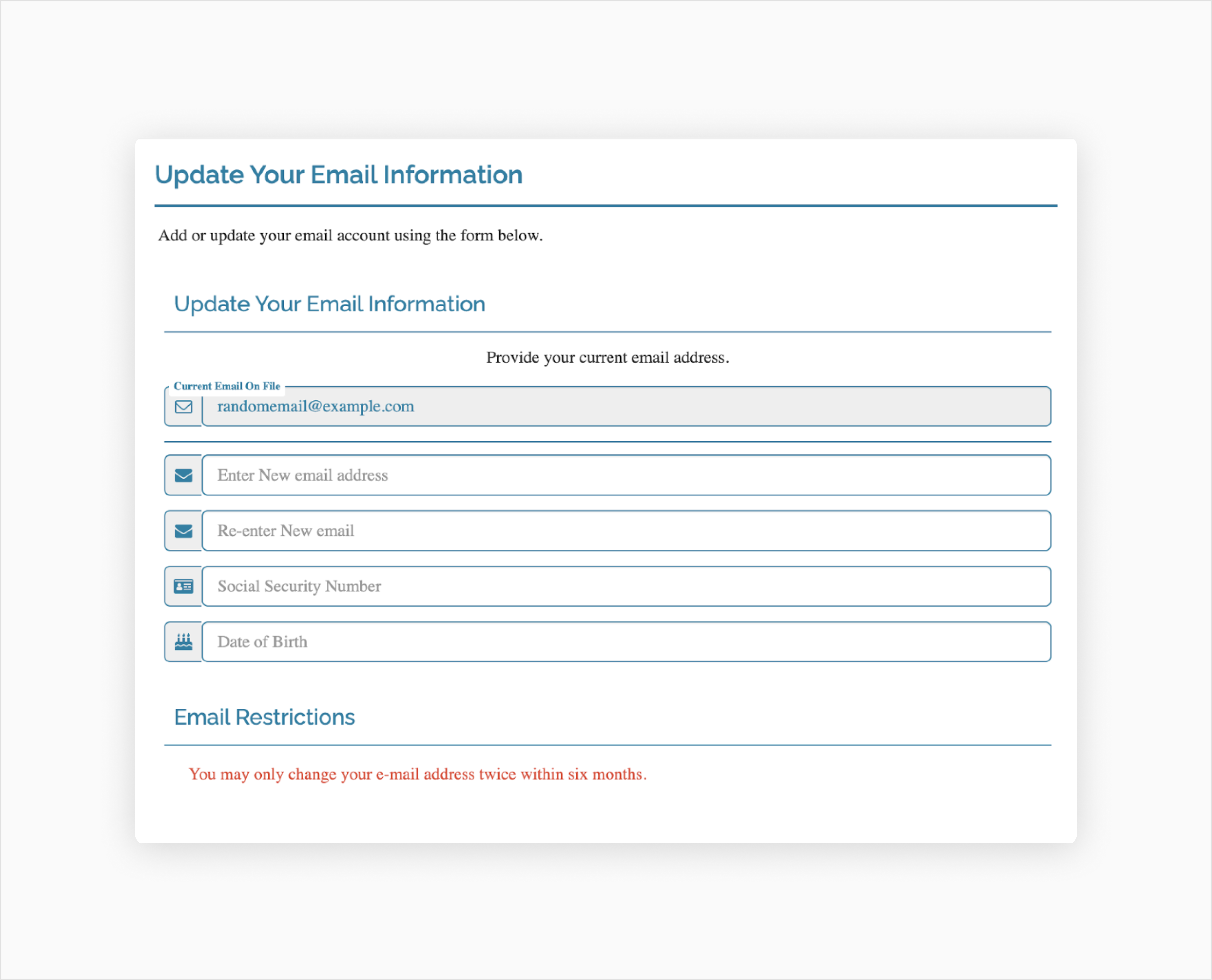
To get a deeper understanding of merchant management and reporting, we recommend that you use our provided integration references. For the full detailed API specification, see the API Explorer.
See the full API specification for creating an access token.
See the full API specification for creating links.
Add server-side or client-side code to your integration.
This solution is available for testing in our free Sandbox environment for registered users of this developer portal. Use our resources below to start testing different scenarios.
Test different transaction outcomes with simulated cards or banks.
View, import, or fork our API collection in Postman.
View successful responses, HTTP status codes, action response data, and errors.
Below are recommended next steps for your partner integration.