Loading...


With Dynamic Currency Conversion (DCC), you can provide customers purchasing internationally a final payment amount in the currency of their card. Either you or a third-party Currency Conversion Processor (CCP) provides the interbank exchange rate available at the time of transaction and displays it to the customer, as well as the markup percentage and commission applied. This way, the customer knows the exchange rate and any fees before they decide to use DCC to complete the payment.
In this guide, you'll learn how to obtain the relevant currency and exchange rate, present the option to the customer, and process the authorization with 3D Secure 2 (3DS2) authentication (if applicable).
To start, we need to check if the card is available for DCC and what the current exchange rate is.
If the card is not eligible for DCC or the card currency is the same as your base currency, you will receive a "105" as response code. In this case, proceed with a standard Authorization without DCC details.
Now that we have the card currency, exchange rate, and amount, we can present the option to the customer. For this example, the card currency is Swedish Krona (SEK) and our base currency is Euro (EUR). The example below shows how the HPP presents this choice to the customer.
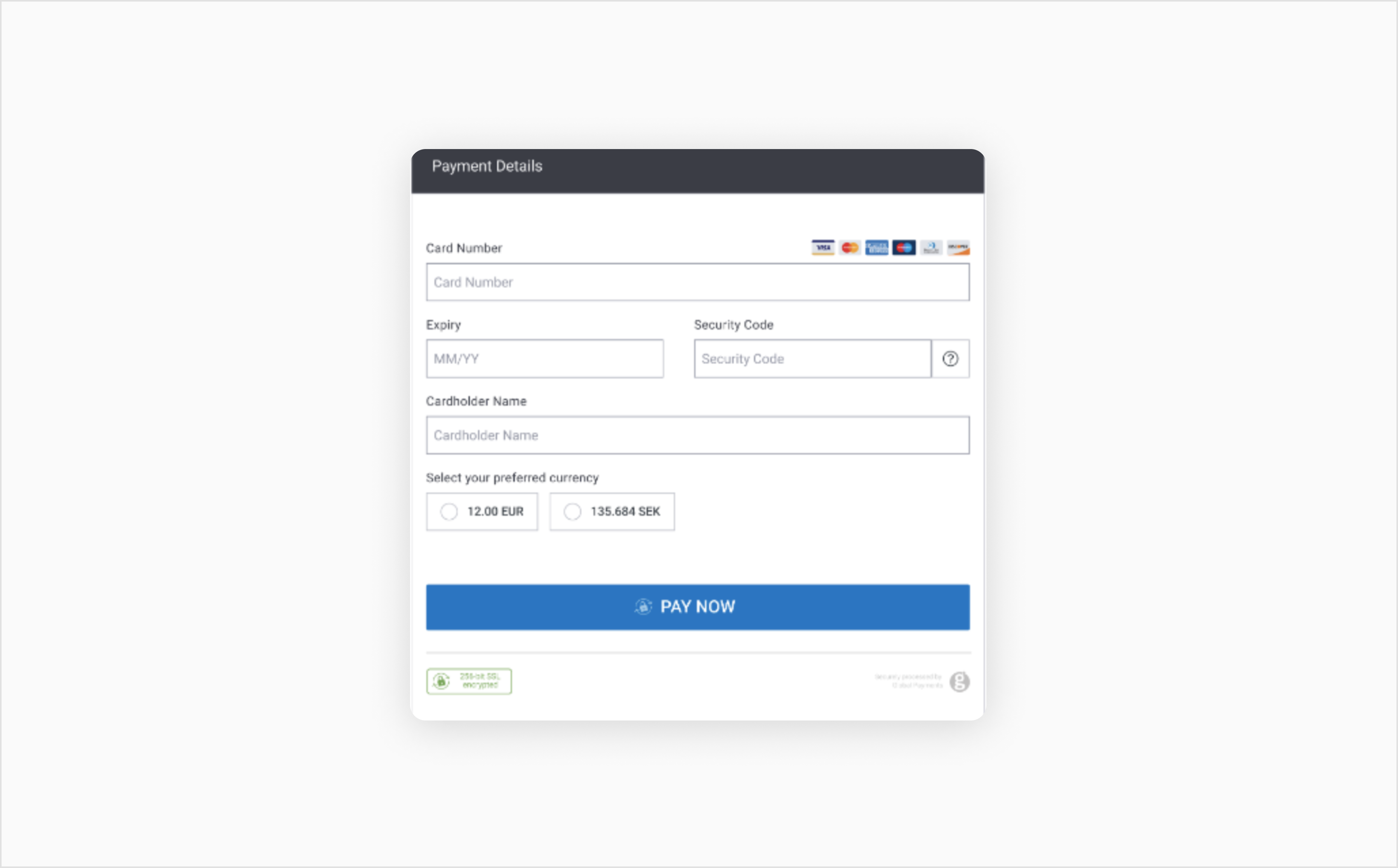
DCC Choice Example
A requirement of 3DS is that the amount and currency authenticated should match the amount and currency authorized. Therefore, where DCC is used, you must ensure to authenticate the customer with the correct currency. The 3D Secure implementation flow you use depends on the customer’s actions:
Step 4: Send the authorization with DCC details
Once the customer makes their decision, you can send the authorization along with the DCC information. In our example, the customer chose to pay in the currency of their card. You can populate the converted amount, rate, and currency into the request.
In April 2020, the European Union introduced new rules governing the transparency of a merchant markup on currency conversions for certain currencies in the European Economic Area (EEA). These currencies include: EUR, BGN, HRK, DKK, HUF, PLN, CZK, RON, and SEK. For merchants utilizing DCC, the EEA rules mean that if the exchange rate offered to the customer has a markup that makes the amount above the European Central Bank (ECB) exchange rate, this percentage rate must be displayed to the consumer.
When the customer is presented with the choice to pay in the currency of their card or the merchant’s base currency, the markup amount should be displayed to them. If the exchange rate offered is the same or less than the ECB rate, the markup should be displayed as 0%.
The value of the rate field returned in the Rate Lookup response will be the rate provided by the merchant or a third-party Currency Conversion Processor (CCP), inclusive of their markup. The value of the margin percentage field will reflect the markup rate of the merchant or CCP in relation to the current ECB rate.
Either the merchant or CCP provides the interbank exchange rate available at the time of transaction and displays it to the customer. This way, the customer knows the exchange rate before they complete the payment. They can then choose whether to continue with the conversion or pay in the merchant’s base currency.
When the customer is presented with the choice to pay in the currency of their card or the merchant’s base currency, the markup percentage and commission applied will be displayed to them. This can alleviate any concerns customers may have about any subsequent processing for foreign-exchange conversion.
In this example on our Hosted Payment Page (HPP), the base currency is British pound sterling (GPB) and the card currency is Hong Kong Dollar (HKD).
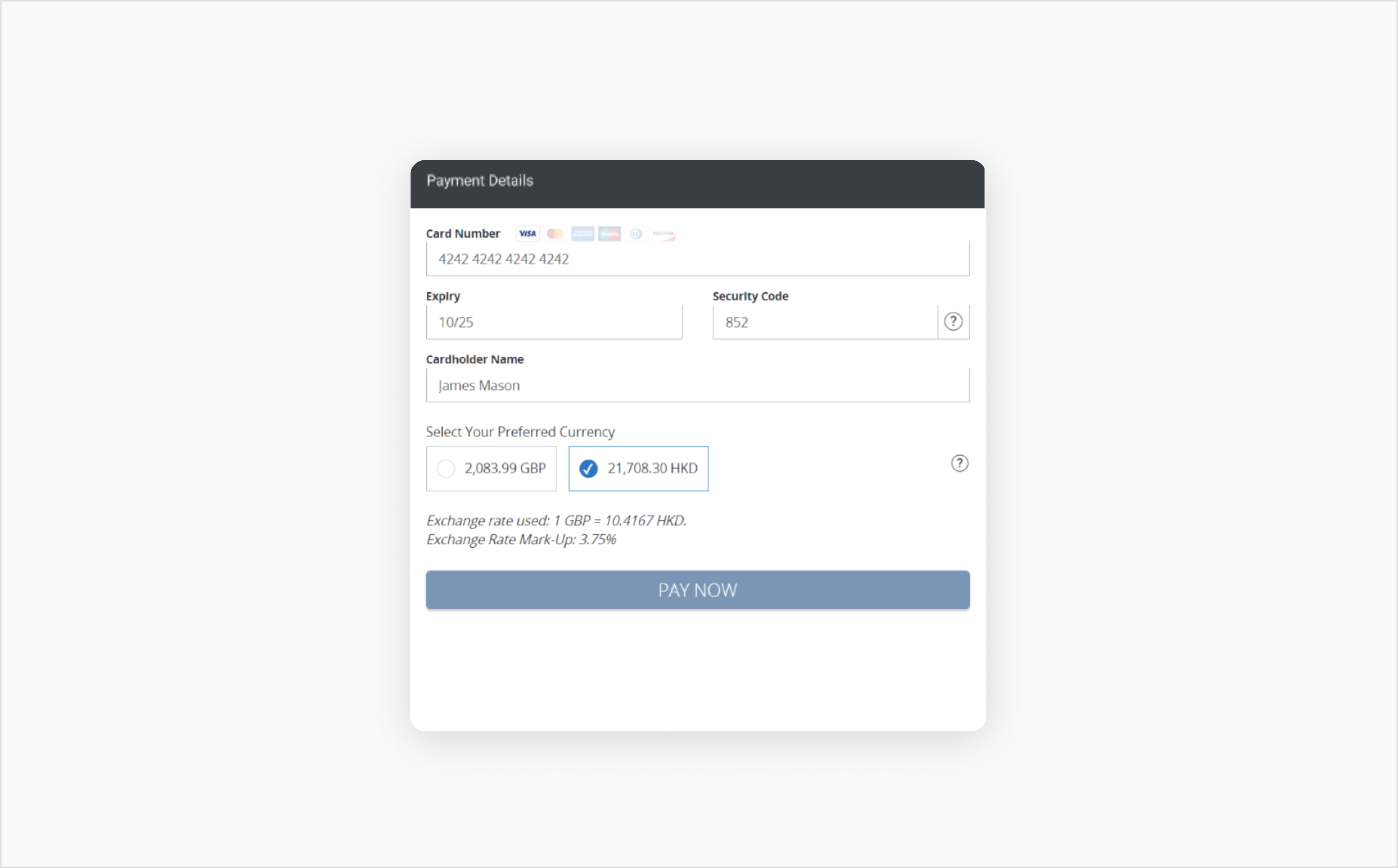
DCC Section with Compliance Information
For the detailed API specification and a full list of features, see the API Reference section.
See the full API specification for Dynamic Currency Conversion.
Explore ways to let customers use their favorite stored cards.
Integrate with alternative and local payment methods.
Add strong customer authentication to your online payment flow.