Loading...


Drop-In UI provides the most flexibility when it comes to customizing the checkout experience. Similar to our prebuilt Hosted Fields solution, our prebuilt Drop-In user interface (UI) components are also customizable but allow you to enhance the payment form with different styles and themes, multiple payment methods, as well as the many services we offer merchants.
If you need to control more than just the individual input fields that Hosted Fields offer (that is, alter placement), Drop-In UI is the better solution. Some of the various options available for Drop-UI include card components, Google Pay, Apple Pay, Open Banking, Buy Now Pay Later (BNPL), and QR code payments (Asia Pacific region only).
For merchants, the benefits of Drop-In UI include:
In this example, Drop-In UI was used to create a fictitious merchant’s payment page.
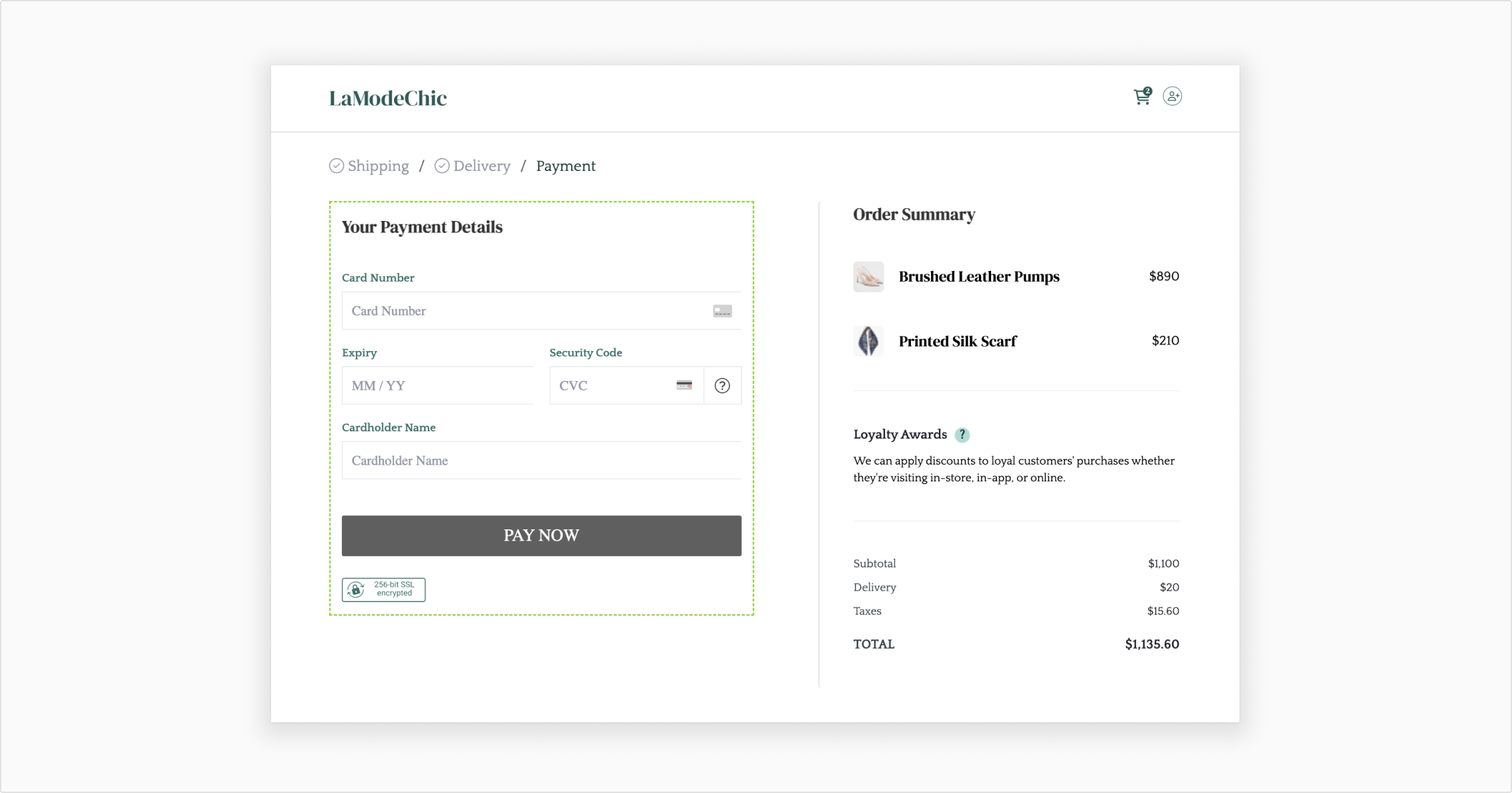
Drop-In UI Example
In this section, we present some “real world” examples that can be enabled through our Drop-In UI solution. Keep in mind that this section doesn’t cover all of the use cases.
A large corporation wants to ensure that they are processing their transactions in a secure environment that is also PCI DSS compliant. Integrating with Drop-In UI means that sensitive card information is captured directly by us instead of their own website.
A school wants to offer students and families a platform where all school-related updates can be shared. Additionally, they want any payments for trips, supplies, and classes to all be accepted through a payment form on the platform. Integrating with Drop-In UI means that they can style the prebuilt form to have an educational theme and also pick which payment methods to offer.
A large online store wants to improve the efficiency of their customer support. With Drop-In UI, requests and responses are shared between the merchant and our API. Most of these logs are available to support members, meaning that issues can be identified and investigated accordingly between the two parties.
When a customer submits the payment form, we create a single-use, or time-limited, token to represent the sensitive data (it expires after 30 minutes). This token can then be used in requests to take payments and authenticate via 3D Secure. Once converted to multiple-use, the token can store non-sensitive card data (that is, no security code) and any additional customer details for subsequent purchases.
This single-use token is different from an access token, which we require for all requests and has a configurable expiration limit. A new access token with the required permissions must be created when performing a payment request or authentication.
At a high level, Drop-In UI works like this:
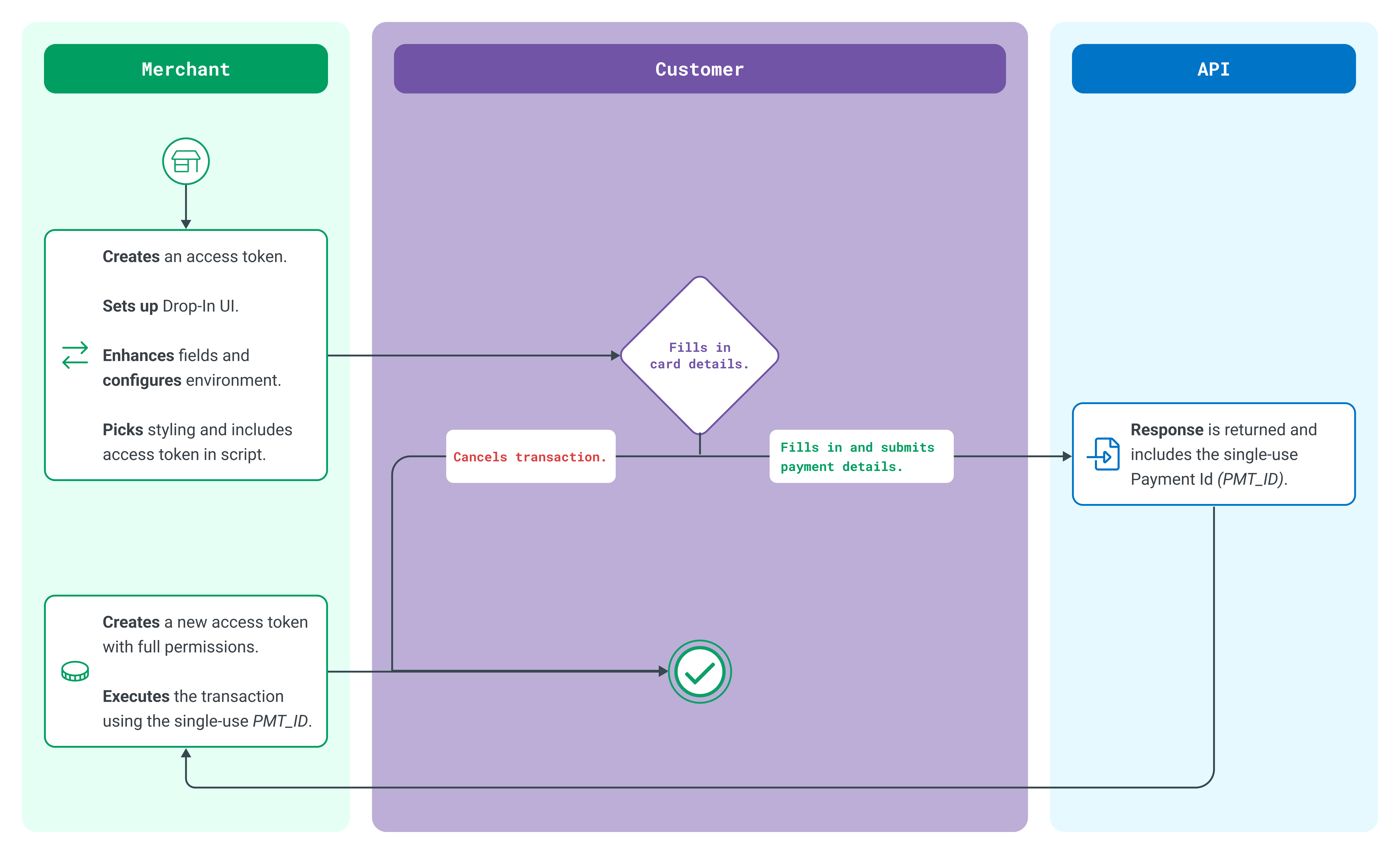
Drop-In UI Typical Flow
To try Drop-In UI, follow the steps and code samples in our guide.
Remember to first register for a developer account if you don't already have one. Once logged in, you can request Sandbox credentials from your account.