Loading...


This feature is currently only available in the Asia Pacific region. For more information, check with your account manager.
This guide focuses on how to use direct API integration to add Alipay and WeChat Pay as payment methods via our QR Code Payment solution. We provide information for both customer-presented mode (CPM) for in-store payments and merchant-presented mode (MPM) for online payments.
For more information on integrating QR code payments, see our Overview.
Before starting the steps in this guide, you must do the following:
Select the applicable tab to see the code sample(s) for this step.
The QR code is initiated by the merchant scanning the QR code from the customer and adding the payment code to the transaction request.
{
"account_id": "TRA_a4ae6dedbaaf4e7eb059265244383157",
"account_name": "apm_cp_ap",
"channel": "CP",
"type": "SALE",
"amount": "100",
"currency": "HKD",
"reference": "1234567890",
"country": "HK",
"capture_mode": "AUTO",
"merchant_category_code": "5411",
"merchant_category": "OTHER",
"payment_method": {
 "name": "John Doe",
 "entry_mode": "MANUAL",
 "apm": {
   "brand": "ALIPAY",
   "provider": "ALIPAY",
   "category": "E_WALLET",
   "payment_code_initiator": "PAYER",
   "payment_code": "******************",
   "seconds_to_expire": "3000"
 }
},
"notifications": {
 "return_url": "https://en7kxokn8pci.x.pipedream.net/",
 "status_url": "https://en7kxokn8pci.x.pipedream.net/"
},
"device": {
 "os": "ANDROID",
 "application_version": "123",
 "reference": "android-13.1",
 "ip_address": "123.1.1.8000",
 "terminal_id": "16818700"
}
}{
"id": "TRN_bWWMB5iSHRz20240109144602638",
"time_created": "2024-01-09T14:46:05.743Z",
"type": "SALE",
"status": "INITIATED",
"channel": "CP",
"capture_mode": "AUTO",
"amount": "100",
"currency": "HKD",
"country": "HK",
"merchant_id": "MER_fba638a644644c7ab1fb8c148289452d",
"merchant_name": "product_production_test",
"account_id": "TRA_a4ae6dedbaaf4e7eb059265244383157",
"account_name": "apm_cp_ap",
"reference": "1234567890",
"payment_method": {
"result": "S0000",
"message": "Success",
"entry_mode": "ECOM",
"apm": {
"provider": {
"result": "SUCCESS",
"brand": "ALIPAY",
"action": "PAYMENT",
"reference": "2024010922001430521442666661",
"time_created_reference": "2024-01-09T14:46:05Z",
"name": "Alipay",
"merchant_identifier": "2088331349414590"
},
"category": "E_WALLET",
"seconds_to_expire": "3000"
}
},
"action": {
"id": "ACT_QgLhUldPX5Q4h56MsTb7GA74C8mYtA",
"type": "INITIATE",
"time_created": "2024-01-09T14:46:05.743Z",
"result_code": "SUCCESS",
"app_id": "pwgpvp0ictNp99MEZebNLy2wSHgKZ1Hd",
"app_name": "product_production_ap_apm"
}
}The dynamic QR code is generated by the merchant and presented to the customer.
{
 "account_id": "TRA_13355df5a2f14e6eb5d4f707058bd9ff",
 "channel": "CP",
 "type": "SALE",
 "amount": "1",
 "currency": "HKD",
 "reference": "{{reference}}",
 "country": "HK",
 "merchant_category":"HOTEL",
 "lodging":{
   "date_checked_in":"2024-12-20",
    "time_checked_in": "15:04:05+07:00",
    "date_checked_out":"2024-12-25",
  "time_checked_out": "15:04:05+07:00",
    "establishment_name":"Hilton Hotel"
 },
 "payment_method": {
     "name": "Doe",
     "entry_mode": "MANUAL",
     "apm": {
         "category":"E_WALLET",
         "brand":"alipay",
         "provider": "ALIPAY",
         "seconds_to_expire":"120",
         "payment_code_initiator":"MERCHANT"
     }
 },
 "notifications": {
     "return_url": "https://example.com/Return",
     "status_url": "https://webhook-test.com/5739fe861cfab27e7ad5625fa02efbfa"
 }
}{
"id": "TRN_EWySvv2pgTR20241217150725503",
"time_created": "2024-12-17T15:07:27.091Z",
"type": "SALE",
"status": "INITIATED",
"channel": "CP",
"capture_mode": "AUTO",
"amount": "1",
"currency": "HKD",
"country": "HK",
"merchant_id": "MER_3b208b95ae534523ac6a16848b42b58b",
"merchant_name": "Nucleus UPA Singapore",
"account_id": "TRA_13355df5a2f14e6eb5d4f707058bd9ff",
"account_name": "SG_HK_HKD",
"reference": "30904621",
"payment_method": {
"result": "S0000",
"message": "Waiting for user to make payment",
"entry_mode": "MANUAL",
"apm": {
"provider": {
"result": "SUCCESS",
"brand": "ALIPAY",
"action": "PAYMENT",
"time_created_reference": "2024-12-17T15:07:25Z",
"name": "Alipay",
"merchant_identifier": "2088021966388155"
},
"category": "E_WALLET",
"seconds_to_expire": "120",
"next_action": "PRESENT_QR_CODE"
},
"qr_code": "https://qr.alipay.com/bax00452f3czlend3iex550b"
},
"action": {
"id": "ACT_1qpGElmUjrvlmoNZqf4u5KINSf4cxH",
"type": "INITIATE",
"time_created": "2024-12-17T15:07:27.091Z",
"result_code": "SUCCESS",
"app_id": "rGS771UBnWyI899SJ0TmICkJqqjNCtMg",
"app_name": "UPA_Singapore_7CC"
}
}Next, the customer scans the QR code on the screen, which will direct them to the Alipay mobile application.
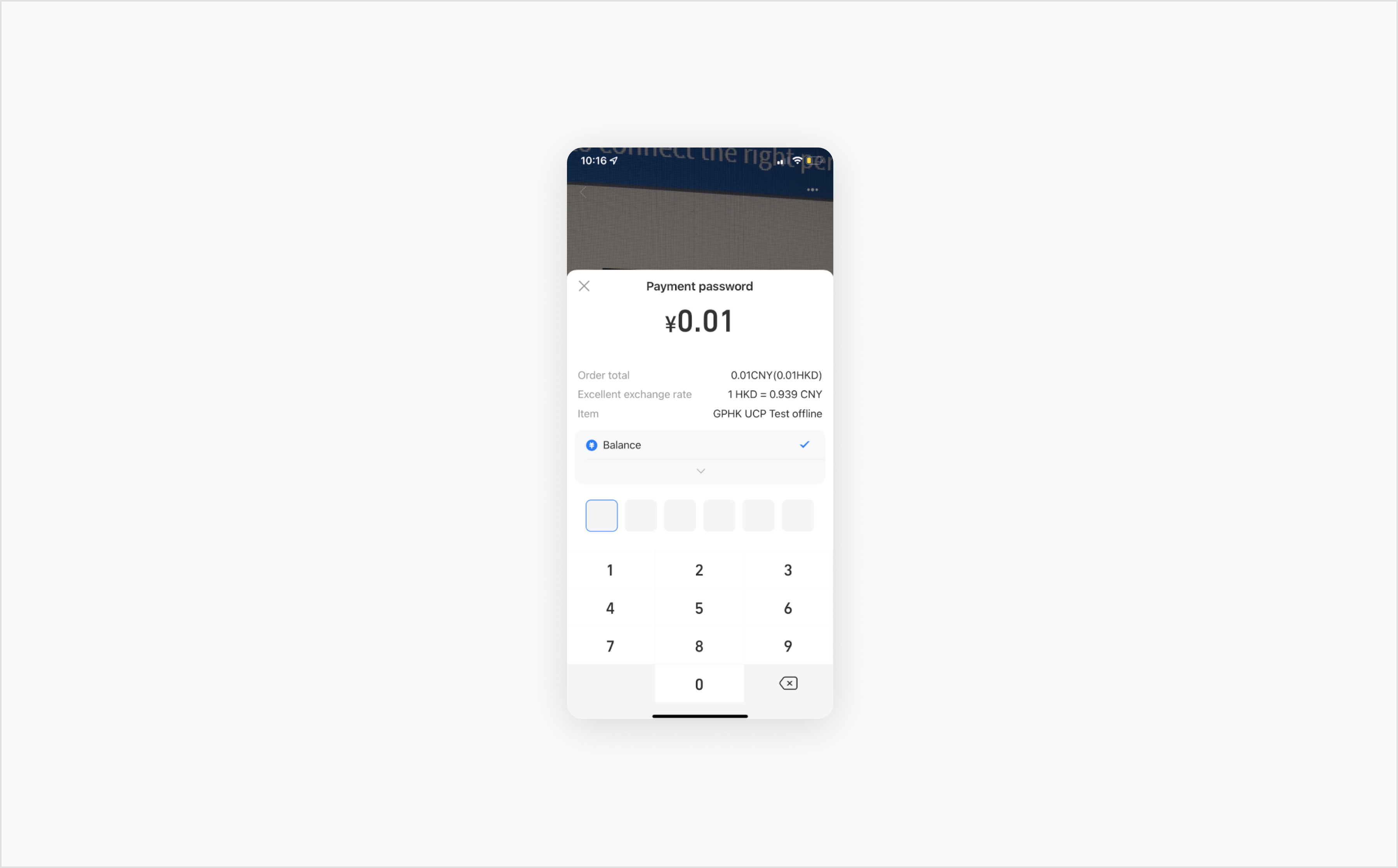
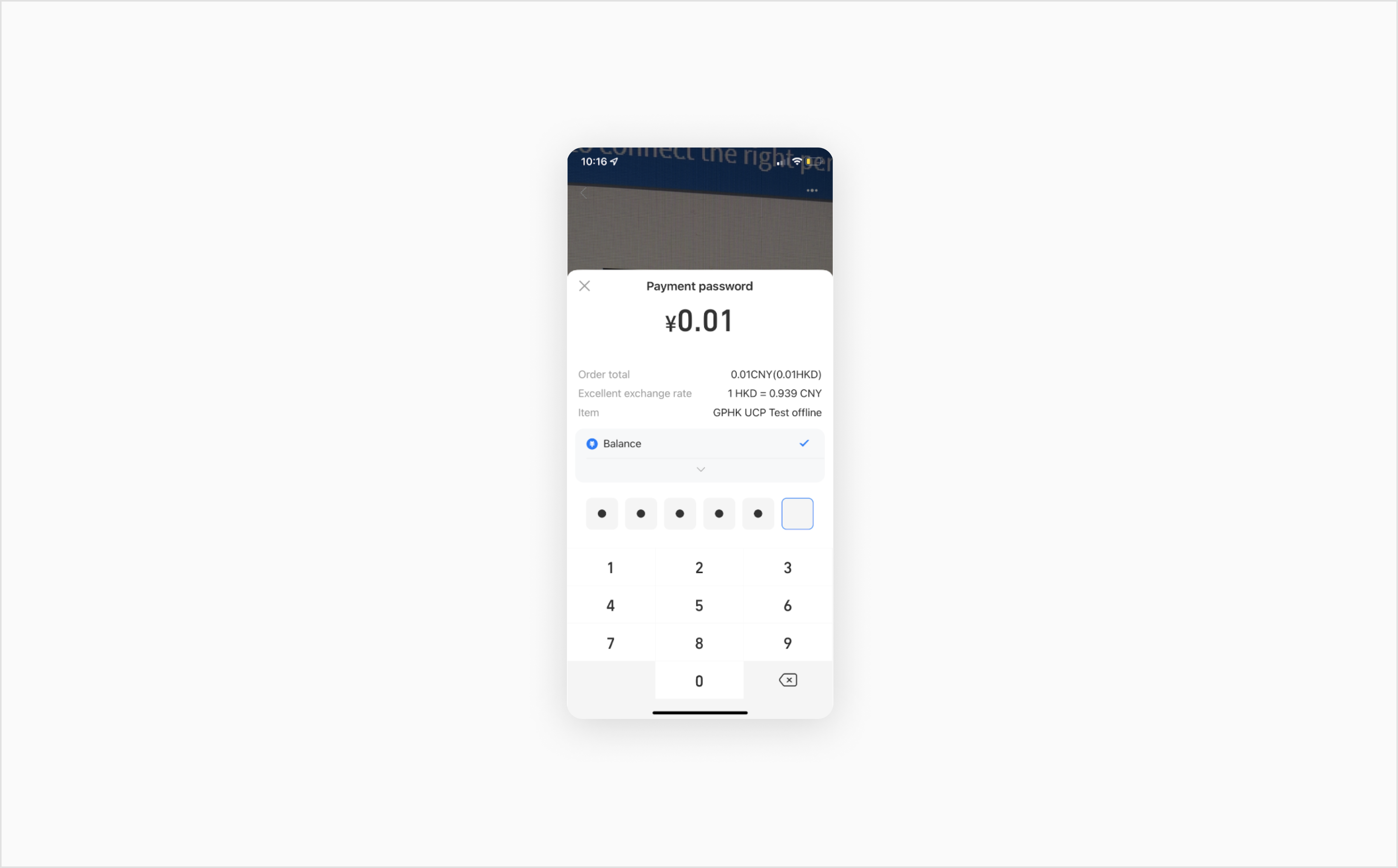
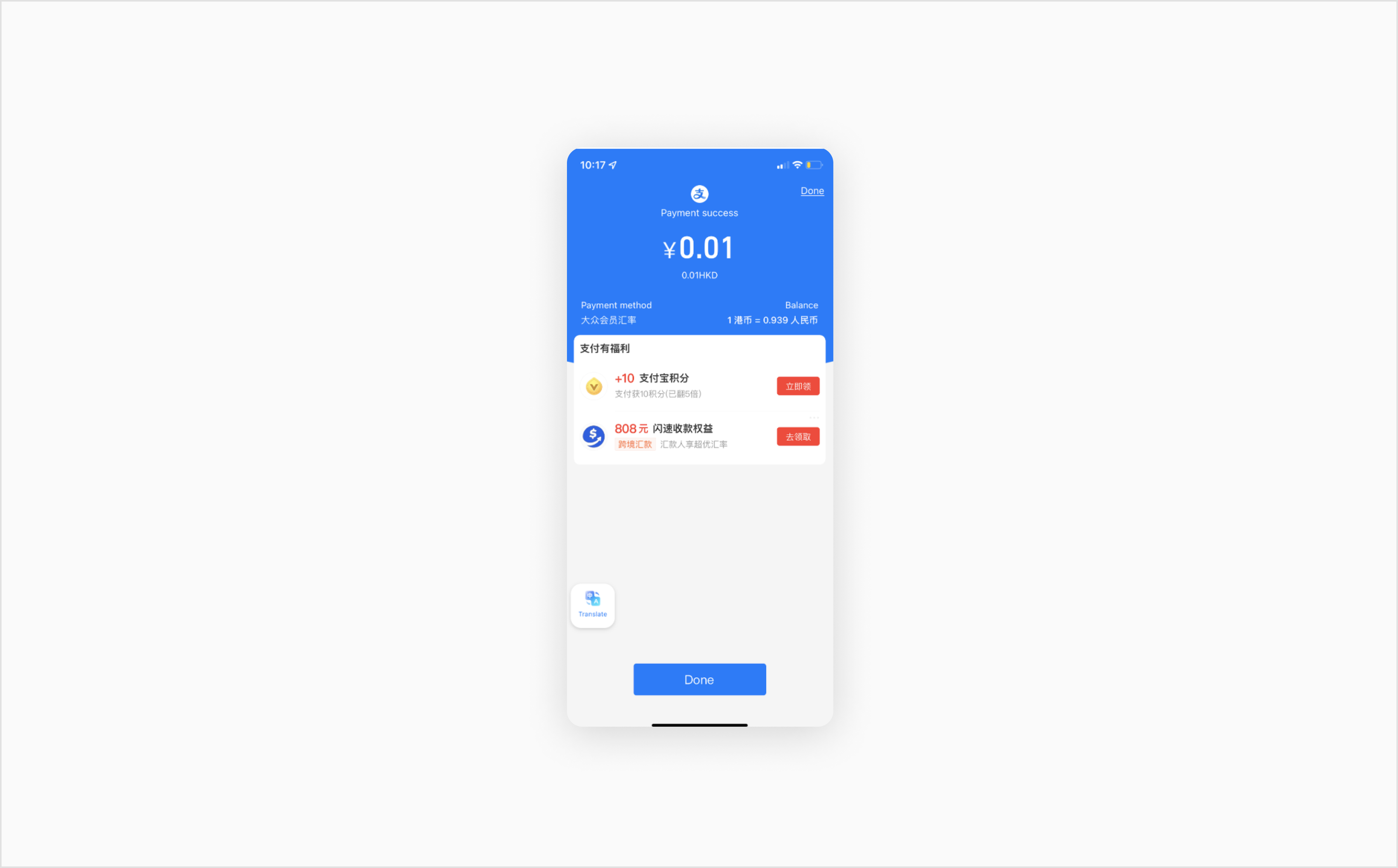
You can receive notifications to let you know when the QR code payment is complete.
{
"id": "TRN_CbouI7GWlhP20241217151518821",
"time_created": "2024-12-17T15:15:20.209Z",
"type": "SALE",
"channel": "CP",
"status": "CAPTURED",
"amount": "1",
"initial_amount": "1",
"currency": "HKD",
"country": "HK",
"merchant_id": "MER_3b208b95ae534523ac6a16848b42b58b",
"merchant_name": "Nucleus UPA Singapore",
"account_id": "TRA_13355df5a2f14e6eb5d4f707058bd9ff",
"account_name": "SG_HK_HKD",
"reference": "18818971",
"payment_method": {
 "entry_mode": "MANUAL",
 "apm": {
   "provider": {
     "brand": "ALIPAY",
     "action": "PAYMENT",
     "reference": "2024121722001493131409351446",
     "time_created_reference": "2024-12-17T23:17:13+08:00",
     "name": "Alipay"
   },
   "category": "E_WALLET"
 }
},
"action": {
 "id": "ACT_TUSeJIcF96wa4RkfcYrTvKkDYcEOn9",
 "type": "STATUS_NOTIFICATION",
 "time_created": "2024-12-17T15:17:16.272Z",
 "result_code": "SUCCESS",
 "app_id": "rGS771UBnWyI899SJ0TmICkJqqjNCtMg",
 "app_name": "UPA_Singapore_7CC"
}
}You can initiate refunds for Alipay and WeChat Pay transactions.
{
 "id": "TRN_lmwlKKWm0QY20241217151858471",
 "time_created": "2024-12-17T15:18:59.492Z",
 "type": "REFUND",
 "status": "PENDING",
 "amount": "1",
 "currency": "HKD",
 "country": "HK",
 "reference": "27144201",
 "payment_method": {
     "result": "S0000",
     "message": "Success",
     "apm": {
         "provider": {
             "brand": "ALIPAY",
             "status": "Received",
             "action": "REFUND",
             "reference": "2024121722001493131409351446",
             "time_created_reference": "2024-12-17T15:17:13Z",
             "name": "Alipay"
         },
         "category": "E_WALLET"
     }
 },
 "action": {
     "id": "ACT_NToG4wb4YuourzfLVMwmrWdMyE5e5n",
     "type": "REFUND",
     "time_created": "2024-12-17T15:18:59.492Z",
     "result_code": "PENDING",
     "app_id": "rGS771UBnWyI899SJ0TmICkJqqjNCtMg",
     "app_name": "UPA_Singapore_7CC"
 }
}This section contains additional QR code payment information:
The following table provides the description, enums, and conditions for QR Code related fields.
To see a particular field in the API Explorer, click its Field Name link in the first column.
| Field Name | Description | Enums | Conditions |
|---|---|---|---|
| payment_code_initiator | Indicates who initiated the payment method code to execute the transaction. | PAYER The customer who is paying the merchant. MERCHANT The business who is providing goods or services to the payer. | If PAYER, the following field is mandatory: payment_code |
| entry_mode | Indicates how the payment method information was obtained by the merchant for this transaction. | MOTO ECOM IN_APP CHIP SWIPE MANUAL PHONE CONTACTLESS_CHIP CONTACTLESS_SWIPE PRESENT IN_WALLET_WEB UNKNOWN | |
| merchant_category | Indicates what industry the merchant belongs to. | HOTEL AIRLINE RETAIL TOP_UP GAMING VOUCHER OTHER | Mandatory for all Alipay transactions (in-store and online). Additional data points are required based on the merchant_category your business falls under. If your business category is not listed here, use OTHER. If HOTEL, the following fields are mandatory: lodging.establishment_name lodging.date_checked_in lodging_date_checked_in lodging.time_checked_in lodging.date_checked_out lodging.time_checked_out If AIRLINE, the following fields are mandatory: airline.legs.flight_number airline.legs.time_of_departure If RETAIL, the following fields are mandatory: order.items.label order.items.description order.item_quantityIf TOP_UP, the following field is mandatory: order.items.descriptionIf GAMING, the following field is mandatory: If , the following field is mandatory: |
The following table shows the default expiry times by the entry mode provided in the payment request for Alipay and Alipay HK.
| Entry Mode | Max | Min | Default |
|---|---|---|---|
| ECOM | 30 days | 0* | 12 hours |
| PHONE | 15 days | 1 minute | 12 hours |
| IN_WALLET_WEB | 15 days | 1 minute | 12 hours |
| IN_APP | 15 days | 1 minute | 12 hours |
* Alipay suggests setting the minimum value at 5 minutes.
The following table shows the default expiry times by the entry mode provided in the payment request for WeChat Pay.
| Entry Mode | Max | Min | Default |
|---|---|---|---|
| ECOM | 2 hours | 1 minute | 2 hours |
| PHONE | 2 hours | 5 minutes | 2 hours |
| IN_WALLET_WEB | 2 hours | 1 minute | 2 hours |
| IN_APP | 2 hours | 1 minute | 2 hours |
Our QR Code Payments solution is available for testing in our free Sandbox environment for registered users of this developer portal. Use our resources below to start testing different scenarios.
Test different transaction outcomes with simulated cards or banks.
View, import, or fork our API collection in Postman.
View successful responses, HTTP status codes, action response data, and errors.
Explore more functionality to enrich your application or website. For the detailed API specification and a full list of features, see the API Explorer.
order.items.descriptionorder.items.description| brand | A string used to identify the payment method brand used for this transaction. | ALIPAY ALIPAYHK |
| provider | A string used to identify the payment method provider used for this transaction. | ALIPAY |
| category | Indicates the category of the alternate payment method. | E_WALLET |
| payment_code | The payment code generated by the initiator for the transaction. |
| seconds_to_expire | The time in seconds that the QR code or redirect URL is valid for. |