Loading...


Availability of this feature in production depends on your allowed live configuration.
Please contact Global Payments before coding this feature to confirm it will be available to you when you go live.
This guide focuses on performing a delayed-capture authorization and sending a Capture request to include the transaction for settlement file.
Sometimes you may want to pre-authorize a transaction and have a pending charge on the customer’s card, such as bar tabs or lodging reservations. In these cases, you don’t want to finalize the transaction amount, as actions by the customer might change the final amount.
The main things to know about capture:
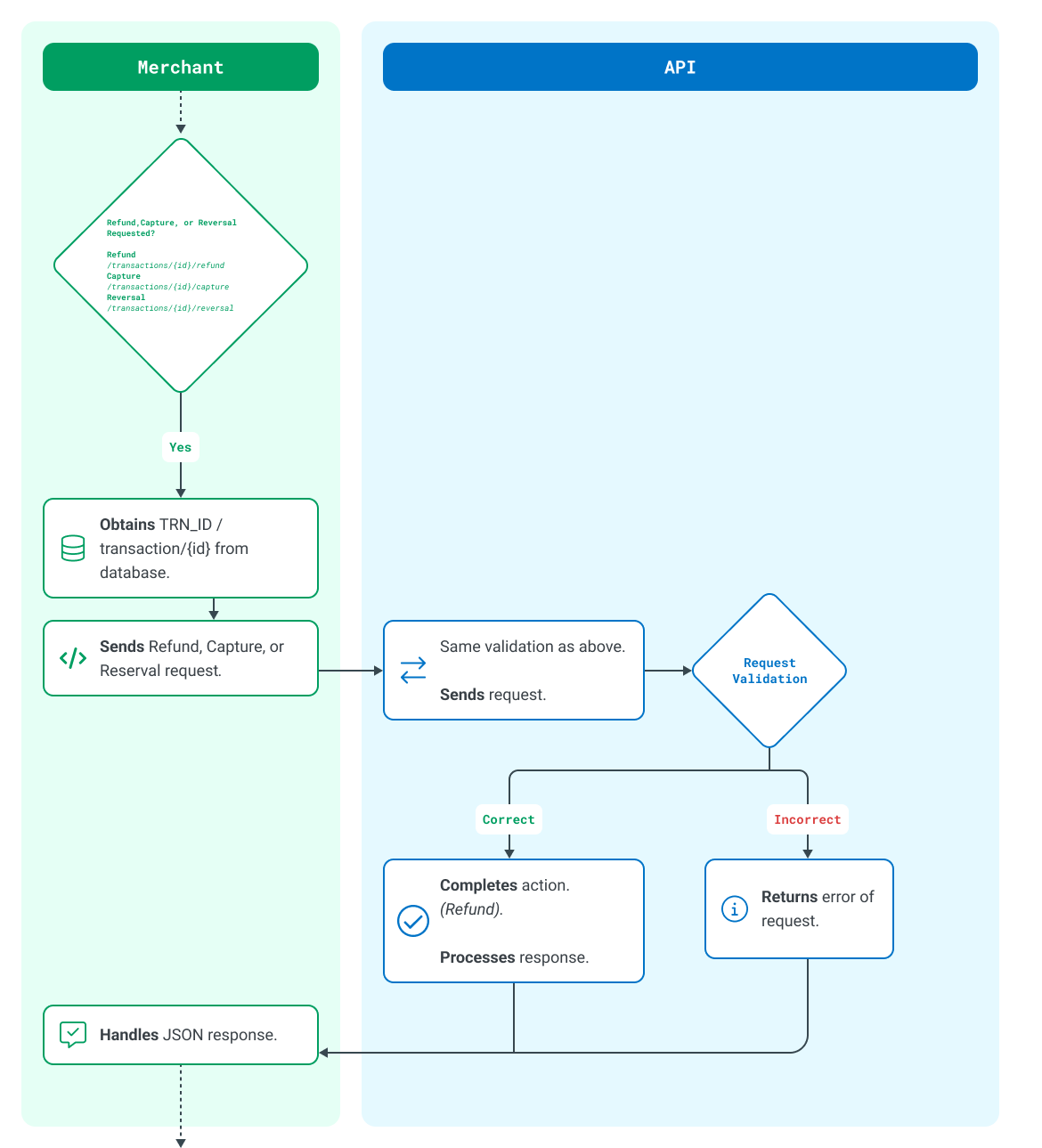
Before starting the steps in this guide, you must do the following:
First, we process a delayed-capture authorization. This will authorize the funds on the customer’s card, but the transaction won't be placed in the settlement file until we capture it. The amount of time the funds can remain ring-fenced on the customer's card may vary among different issuers and acquirers. Card brands such as Visa and Mastercard have their own rules around how long transactions can wait to be captured.
{
    "id": "TRN_vMpI7vjdSs3c6ona5QncNLDIooCnTs_ca0584bb55bf",
    "time_created": "2024-08-12T13:17:53.539Z",
    "type": "SALE",
    "status": "PREAUTHORIZED",
    "channel": "CNP",
    "capture_mode": "LATER",
    "amount": "1999",
    "currency": "CHF",
    "country": "BG",
    "merchant_id": "MER_c4c0df11039c48a9b63701adeaa296c3",
    "merchant_name": "Sandbox_merchant_2",
    "account_id": "TRA_6716058969854a48b33347043ff8225f",
    "account_name": "Transaction_Processing",
    "reference": "93459c78-f3f9-427c-84df-ca0584bb55bf",
    "payment_method": {
        "result": "00",
        "message": "(00)[ test system ] AUTHORISED",
        "entry_mode": "MOTO",
        "card": {
            "brand": "VISA",
            "masked_number_last4": "XXXXXXXXXXXX5262",
            "authcode": "123456",
            "brand_reference": "pWx303GMt3Rtlxdf",
            "brand_time_created": "",
            "cvv_result": "MATCHED",
            "avs_address_result": "MATCHED",
            "avs_postal_code_result": "MATCHED",
            "avs_action": "",
            "provider": {
                "result": "00",
                "cvv_result": "M",
                "avs_address_result": "M",
                "avs_postal_code_result": "M"
            }
        }
    },
    "risk_assessment": [
        {
            "mode": "ACTIVE",
            "result": "ACCEPTED",
            "rules": [
                {
                    "reference": "0c93a6c9-7649-4822-b5ea-1efa356337fd",
                    "description": "Cardholder Name Rule",
                    "mode": "ACTIVE",
                    "result": "ACCEPTED"
                },
                {
                    "reference": "a539d51a-abc1-4fff-a38e-b34e00ad0cc3",
                    "description": "CardNumber block",
                    "mode": "ACTIVE",
                    "result": "ACCEPTED"
                },
                {
                    "reference": "d023a19e-6985-4fda-bb9b-5d4e0dedbb1e",
                    "description": "Amount test",
                    "mode": "ACTIVE",
                    "result": "ACCEPTED"
                }
            ]
        }
    ],
    "batch_id": "",
    "action": {
        "id": "ACT_vMpI7vjdSs3c6ona5QncNLDIooCnTs",
        "type": "PREAUTHORIZE",
        "time_created": "2024-08-12T13:17:53.539Z",
        "result_code": "SUCCESS",
        "app_id": "U1lRHKomEn7DN907RCDPxVhyMfiMLcfy",
        "app_name": "dev_portal_demo"
    }
}If successfully authorized, the funds will be ring-fenced on the customer's account. When you want to include the transaction in the next settlement file (also known as a batch), you can simply send a Capture (Settle) request. When the transaction is captured with the acquirer, the funds are deducted from the customer’s account and settled into your account.
{
    "id": "TRN_uzFr7t4VOqxdLDI44hHmXIjHtOOE8d",
    "time_created": "2026-05-03T21:23:39.718Z",
    "type": "SALE",
    "status": "CAPTURED",
    "amount": "11099",
    "currency": "USD",
    "country": "US",
    "reference": "becf9f3e-4d33-459c-8ed2-0c4affc9555e",
    "batch_id": "BAT_234234234",
    "payment_method": {
        "result": "string",
        "message": "string",
        "card": {
            "authcode": "string",
            "brand_reference": "string"
        }
    },
    "action": {
        "id": "ACT_uzFr7t4VOqxdLDI44hHmXIjHtOOE8d",
        "type": "ADJUST",
        "time_created": "2026-05-03T21:23:39.718Z",
        "result_code": "SUCCESS",
        "app_id": "uzFr7t4VOqxdLDI44hHmXIjHtOOE8d",
        "app_name": "my_lovely_app"
    }
}To get a deeper understanding of this function, we recommend that you use our provided integration references for both API and SDK integrations. For the full detailed API specification, see the API Explorer.
Generate an access token.
See the full transaction endpoint, including captures.
Add server-side or client-side code to your integration.
Captures are available for testing in our free Sandbox environment for registered users of this developer portal. Use our resources below to start testing different scenarios.